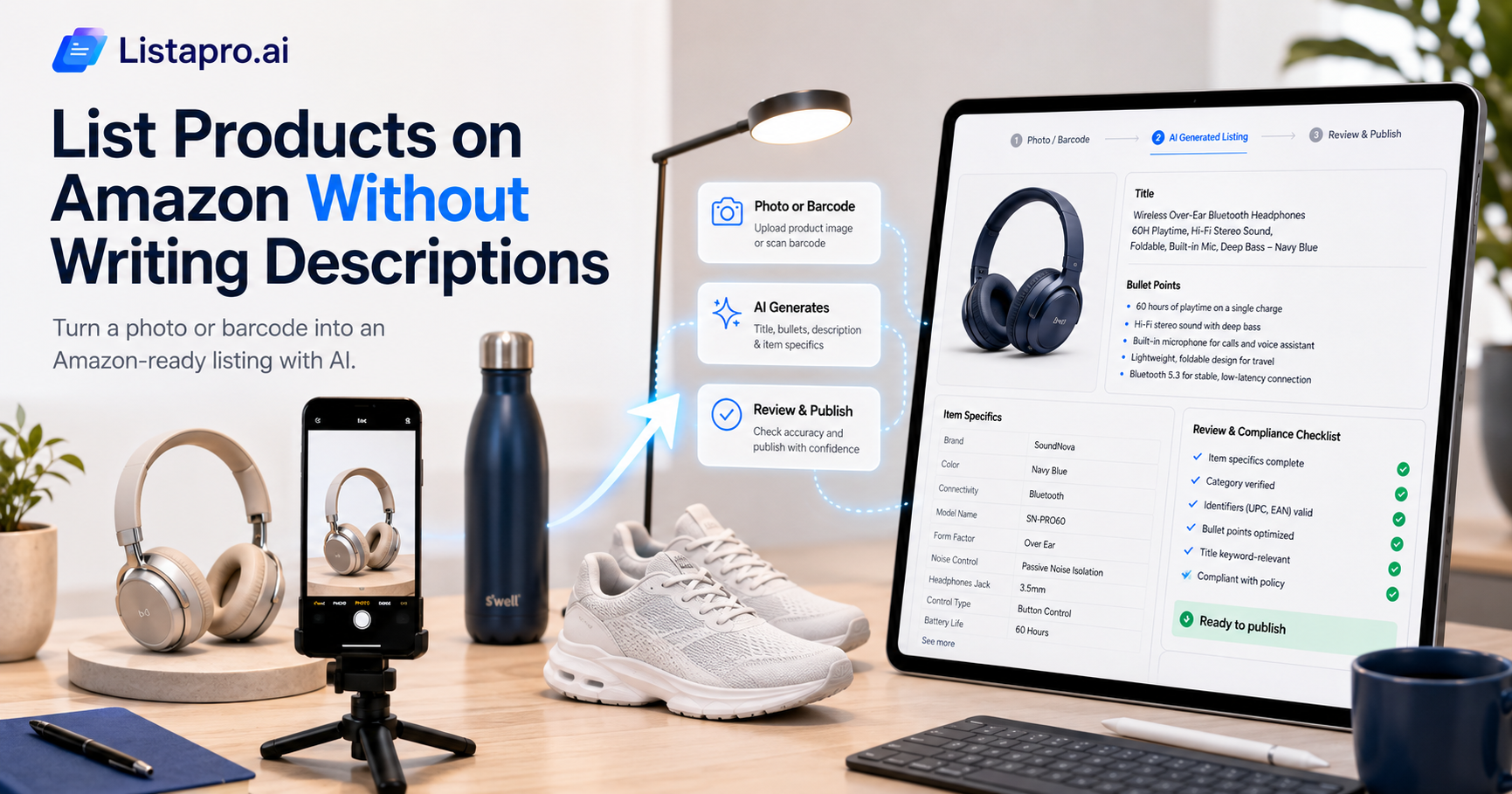
Listing on Amazon is where many sellers stall. Amazon wants a precise title, bullet points, a description, item specifics, and the right category, all formatted to its rules, all per product. Get it wrong and the listing is rejected or buried. AI removes the hardest part: you can now go from a product photo to a compliant, keyword-optimized Amazon listing without writing the copy yourself. Here is how.
The short version: upload a photo or barcode, let AI generate the Amazon title, bullets, description, and item specifics tuned to how buyers search, review for accuracy and compliance, then publish. The writing, the slow part, is done for you.
Why Amazon listings are harder than they look
Amazon is not just a description box. To list well you need a title built for search, five strong bullet points, a keyword-rich description, complete item specifics, a valid identifier, and the correct category. Each of those affects whether you rank and whether the listing is even accepted. Doing all of it by hand, correctly, for every product is the real work, and it is why catalogs sit half-listed.
How AI listing works on Amazon
1. Upload a photo or scan a barcode. The AI identifies the product and its key attributes. 2. It writes the listing. A search-optimized title, bullet points, a description, and item specifics, in Amazon's expected structure. 3. You review for accuracy and compliance. Confirm specifics, identifiers, and category, the details that must be exactly right. 4. Publish to Amazon. The complete listing goes live.
With Lista Pro's AI product listing, you generate a full Amazon listing from an image, barcode, or existing store, and SEO boost tunes the title and keywords so it is built to be found.
The Amazon details to check on review
AI handles the writing; you own the accuracy. Before publishing, confirm:
- Item specifics. Complete and correct, Amazon uses them for filtered search and compliance.
- Category. The right one, since a wrong category triggers a cascade of errors.
- Identifiers. A valid GTIN, UPC, or EAN where required.
- Keyword relevance. The title and bullets clearly match how buyers search for the product.
Getting these right at listing time is also how you avoid rejections, which is a far bigger time sink than the initial listing.
Manual listing vs AI listing
| Manual Amazon listing | AI listing | |
|---|---|---|
| Writing the copy | By hand, per product | Generated, SEO-ready |
| Item specifics | Manual, easy to miss | Drafted, you confirm |
| Keyword optimization | Guesswork | Built in |
| Time per product | 20 to 45 minutes | A couple of minutes |
| Rejection risk | Higher | Lower with complete data |
Doing it across your whole catalog
For a large catalog, bulk actions let you generate and publish many Amazon listings at once, and product details management keeps every field complete so listings publish cleanly the first time. The catalog that would take weeks to list by hand goes up in a fraction of the time.
An honest note
AI writes the listing, but you are still responsible for accuracy and compliance. Amazon's rules are strict, so review item specifics, identifiers, and category before publishing. The point is not to remove your judgment, it is to remove the hours of writing so your judgment goes where it matters.
Bringing it together
You do not have to write Amazon listings by hand anymore. Start from a photo or barcode, let AI generate a compliant, keyword-optimized listing, confirm the specifics and category that must be exact, and publish. The slowest, most error-prone part of selling on Amazon becomes one of the fastest.
Lista Pro generates compliant, keyword-optimized Amazon listings from a photo or barcode, with a free trial and a more-sales-or-money-back guarantee. Start your free trial or see the pricing.
Frequently asked questions
How do I list products on Amazon without writing the descriptions?
Use AI to generate the title, bullets, description, and item specifics from a photo or barcode. You review for accuracy and compliance, then publish, so you never write the copy from scratch.
Will an AI-generated Amazon listing be compliant?
The AI structures the listing to Amazon's format, but you should confirm item specifics, identifiers, and category before publishing, since those must be exactly right to avoid rejection.
Can AI optimize my Amazon listing for keywords?
Yes. It generates a search-optimized title and bullets so your listing matches how buyers search, which supports both ranking and conversion.
Can I list many Amazon products at once?
Yes. Bulk actions let you generate and publish multiple Amazon listings together, which is the biggest time saving compared to listing one at a time.
How does this reduce rejected listings?
By building complete, correctly formatted listings from the start, with full item specifics and valid identifiers, which is what most Amazon rejections come down to.


